.png)
Clarity Inventory Overview
- Clarity Inventory integrates the management of your community’s coordinated entry process, Homeless Management Information System (HMIS), and bed and unit availability all in one place, making Clarity INVENTORY a powerful tool for your community.
- Clarity Inventory is a bed and unit management tool built into Clarity Human Services that allows for granular tracking of a community's housing units, and beds.
- Clarity inventory provides real-time updates on the availability, status, and capacity of each bed and unit.
- Inventory in Clarity is configured by HMIS System Administrators. Once the inventory is created, this workflow guide and related articles will assist in managing inventory for Clarity programs and client records.
Inventory Statuses
- Users access Inventory through a module in the Clarity menu

- Users will select the "Available" button for the relevant program in Clarity

- Users will manage bed statuses within inventory

| Bed Status | Description |
| Available | This bed is available for a referral from the CE Matchmaker |
| Offline | This status should be uses to ensure that the bed does not receive a referral (i.e. for Maintenance) |
| Pending Occupancy | This status has a client referral pending. The client needs to be checked in or have the referral updated. |
| Occupied | This bed is currently attached to a client in a Clarity program enrollment. |
IMPORTANT:
Timestamps for bed availability must be accurate. Beds can not have overlapping statuses in the database.
For more detailed information on inventory statuses, view the vendor article on Unit/ Bed Status
Managing Referrals
- Referrals are generated in Clarity by the Coordinated Entry Matchmaker.
- Programs receive client referrals through the Emergency Shelter or Permanent Housing Community Queue referral process.
- For more information on this workflow, review this article: https://slocounty.helpscoutdocs.com/article/196-clarity-referrals-workflow
Coordination with the Coordinated Entry Matchmaking team is key to ensuring that referrals are connected to the correct vacancies. Additional details can be added to inventory to ensure successful matched are made.
Program Enrollments
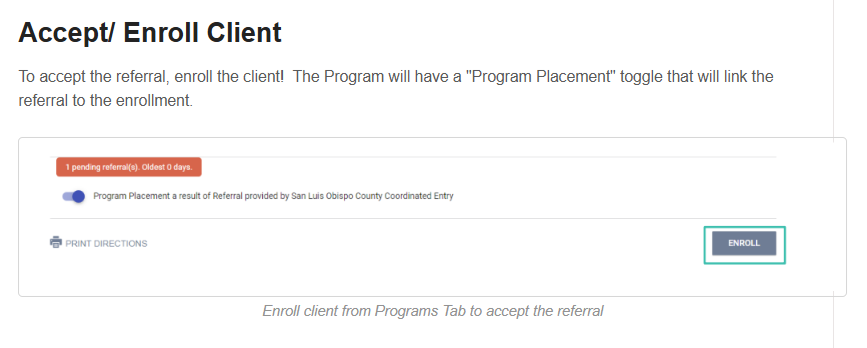
Program Enrollments connected to inventory follow the same workflow as all other program enrollments. The "Program Placement" toggle will be automatically turned on for clients with referrals to the program through inventory.
- A Units/ Beds Tab will appear in Clarity Enrollments with Inventory
- Units/ Beds can be edited by users with edit access by adding end dates to existing unit connections and adding a new unit/ bed connection if needed.
